September 10, 2026 · 5 min read
Your Instagram Comment Automation Has One Shot. Make It Count
Как настроить автоответ на комментарии Instagram*: что можно отправить в Direct, почему важно получить ответ пользователя, ограничения private reply и примеры сценариев
ReplAiChat editorial team
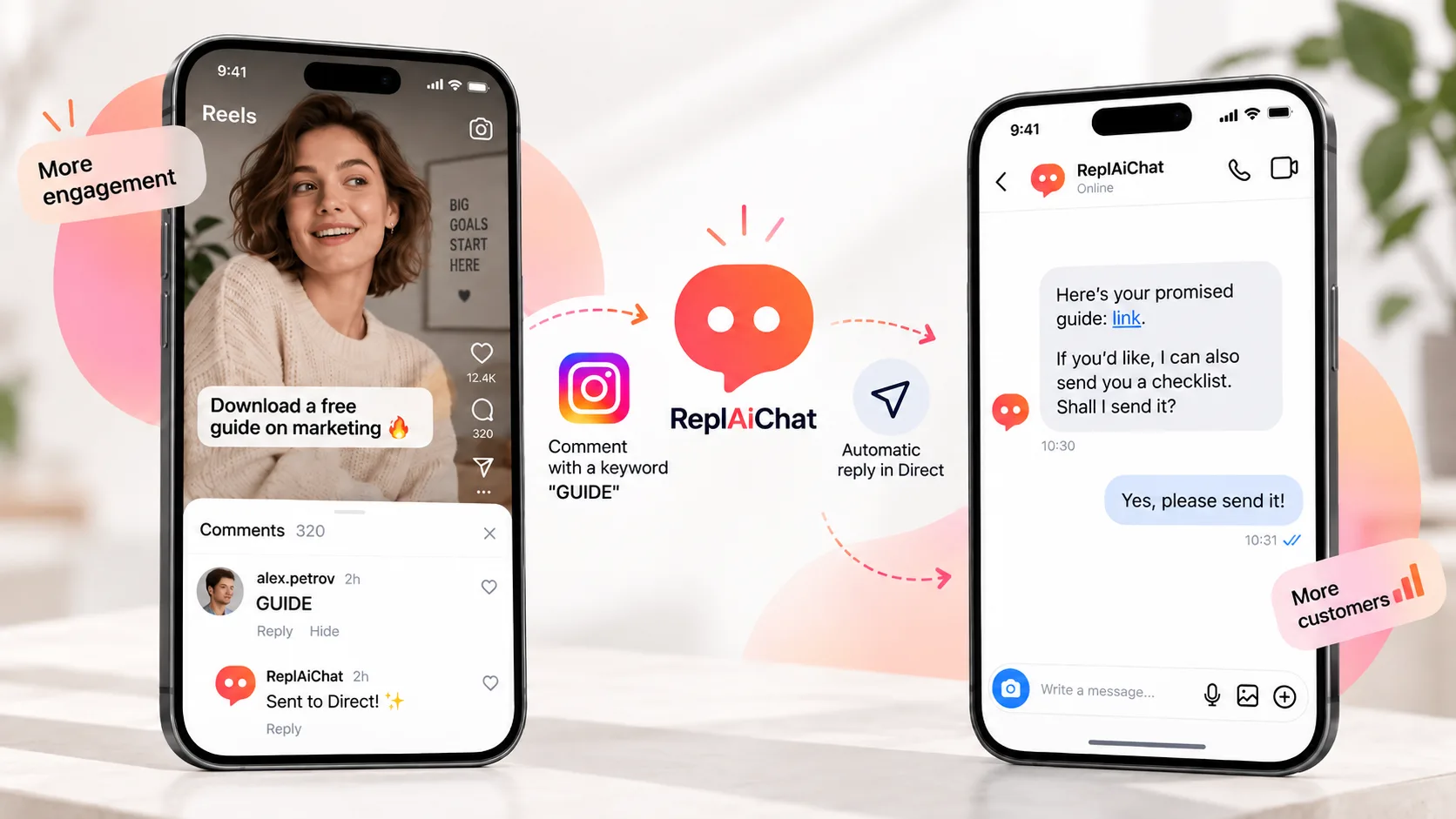
«Comment GUIDE and I’ll send it to your DMs.»
«Write PRICE below and I’ll send you the details.»
«Comment CATALOG to get the full collection.»
Someone leaves a keyword. A bot sends a Direct Message. The business gets a potential lead.
Simple.
But there is one important limitation that changes how the whole funnel should be designed.
When someone comments on a post or Reel, Instagram allows a business to send one private reply to that comment. The message can be sent within seven days.
After that, you cannot simply continue sending automated messages.
The user needs to reply first.
Once they do, the standard 24-hour messaging window opens and the conversation can continue.
So your first DM matters a lot.
The worst first message
Imagine this post: «Comment GUIDE and I’ll send you our checklist.»
A person comments: «GUIDE»
And the automation sends: «Hi! Thanks for your interest 😊»
Technically, the automation worked. Commercially, it achieved almost nothing. The person still does not have the guide. And you have already used the first private message.
A better version would be: «Here’s the guide: [link]
I can also send you a short checklist for setting this up. Want it?» Now two things happen immediately. The user receives what was promised. And they have an easy reason to reply. That reply is what turns a one-message automation into a real conversation.
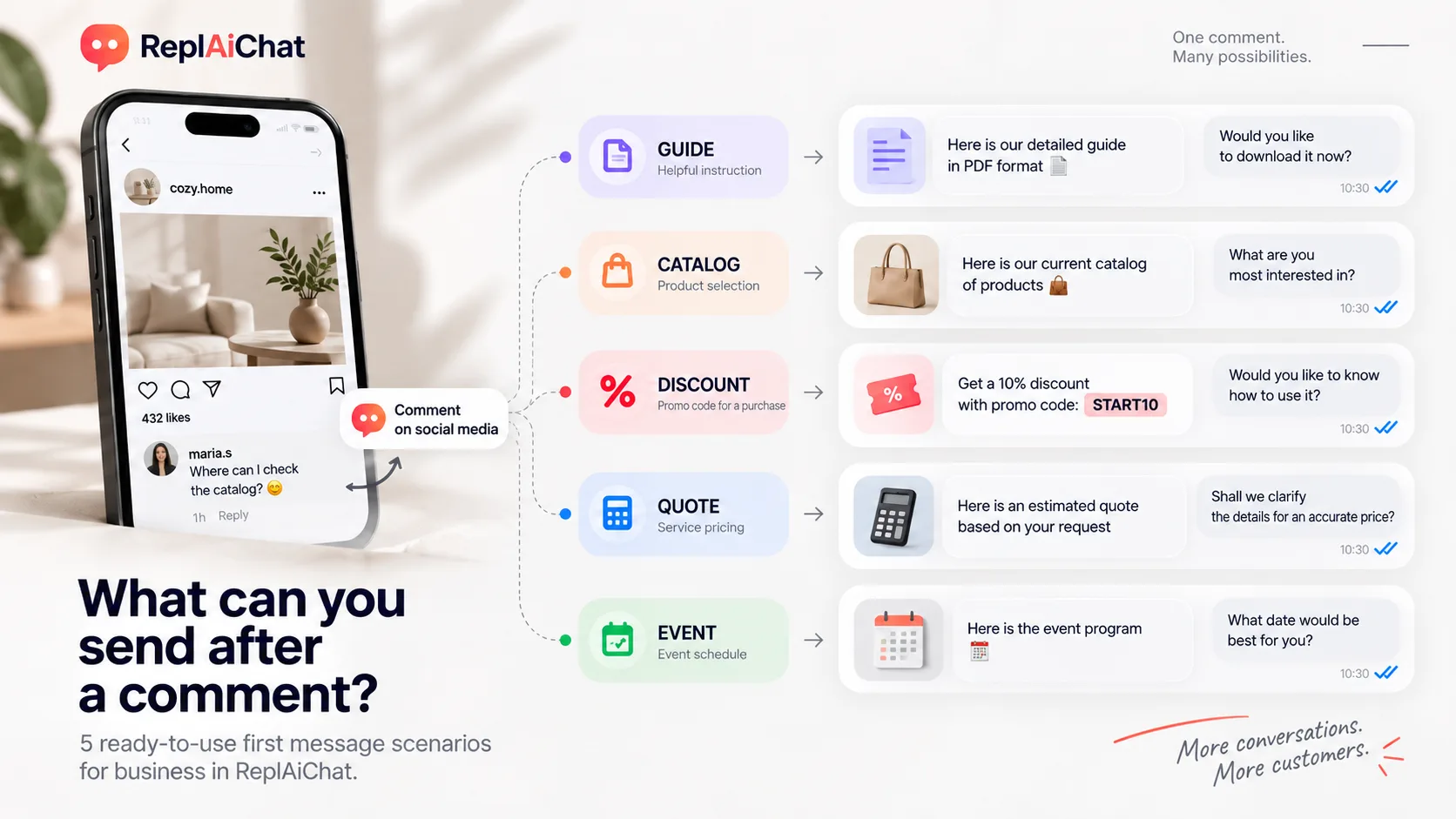
Always deliver the promise first
- If your post promises a promo code, send the promo code.
- If it promises a catalogue, send the catalogue.
- If it promises pricing, send the pricing.
- If it promises a checklist, send the checklist.
Avoid sending people through another unnecessary funnel:
Comment → DM → landing page → form → email confirmation → finally get the thing.
They have already completed the action you asked for.
Reducing friction matters more than adding another lead capture form.
Then ask one simple question
The second part of the first message should create a natural next step.
For an ecommerce store: «Here’s our new collection: [link]. If you want, I can help you choose. What size do you usually wear?»
For a service business: «Here are our prices and conditions: [link]. Is this service for you personally or for your company?»
For an event: «Here’s the program: [link]. Are you more interested in sales or customer support? I can suggest which sessions to start with.»
The easier the question is to answer, the better. Ideally, the user should be able to respond with one word.
That single reply can trigger the next automation, qualification flow or AI conversation.
Keyword automations are only the beginning
Customers do not always behave according to your carefully designed funnel.
They ask things like:
- «Do you ship internationally?»
- «How much does it cost?»
- «Is this suitable for beginners?»
- «Do you have this in another size?»
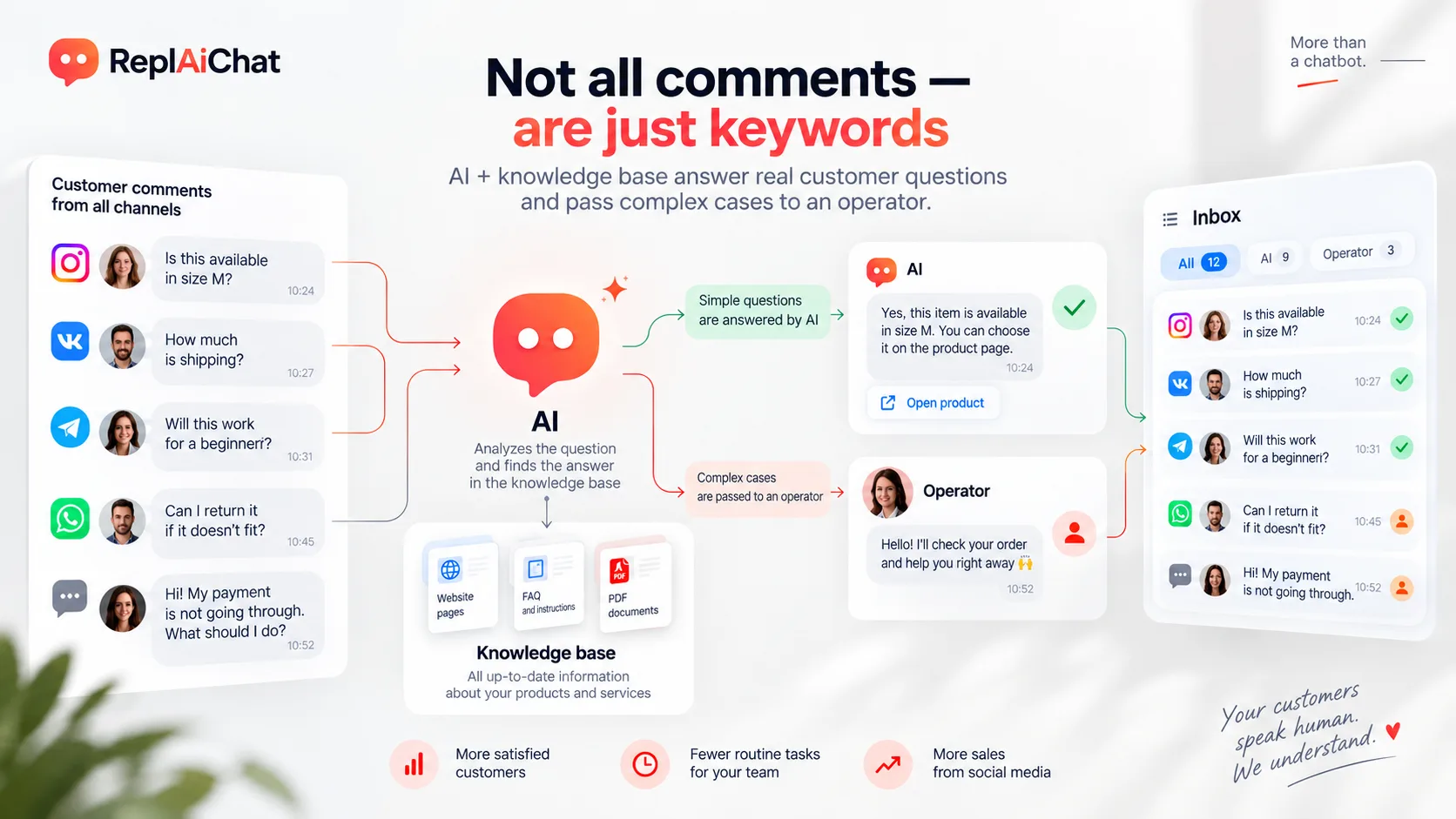
Creating a separate automation for every possible question quickly becomes impractical. This is where an AI agent becomes useful.
Instead of matching a predefined keyword, it can understand the question, search the company knowledge base and answer using approved information. For example, a customer asks about delivery. The AI checks the company's shipping policy and responds with the correct conditions. If enough context is available, it can also suggest a relevant product, send the right page or transfer the conversation to a human. The important part is the knowledge base. Your AI should get prices, policies, product specifications and business rules from your actual company information rather than improvising them.
Public replies still matter
When someone triggers a comment automation, I also recommend replying publicly.
Something simple works:
«Sent it to your DMs. Check Message Requests if you don’t see it.»
This helps in two ways.
The original commenter knows that something happened.
Other people reading the comments can see that the mechanic works.
That creates social proof around the call to action and can encourage more people to participate.
What can you send through comment-to-DM automation?
- PDF lead magnets are the obvious example, but there are many more useful scenarios.
- An ecommerce store can send a catalogue or size guide and continue with product recommendations.
- A beauty salon can send its service menu and ask which treatment the customer is interested in.
- A B2B company can send a presentation and start qualifying the lead.
- An event organizer can send the agenda and recommend sessions based on the user's interests.
- A SaaS company can send a demo, documentation or pricing information and then ask what the person wants to solve.
The mechanics are almost identical.
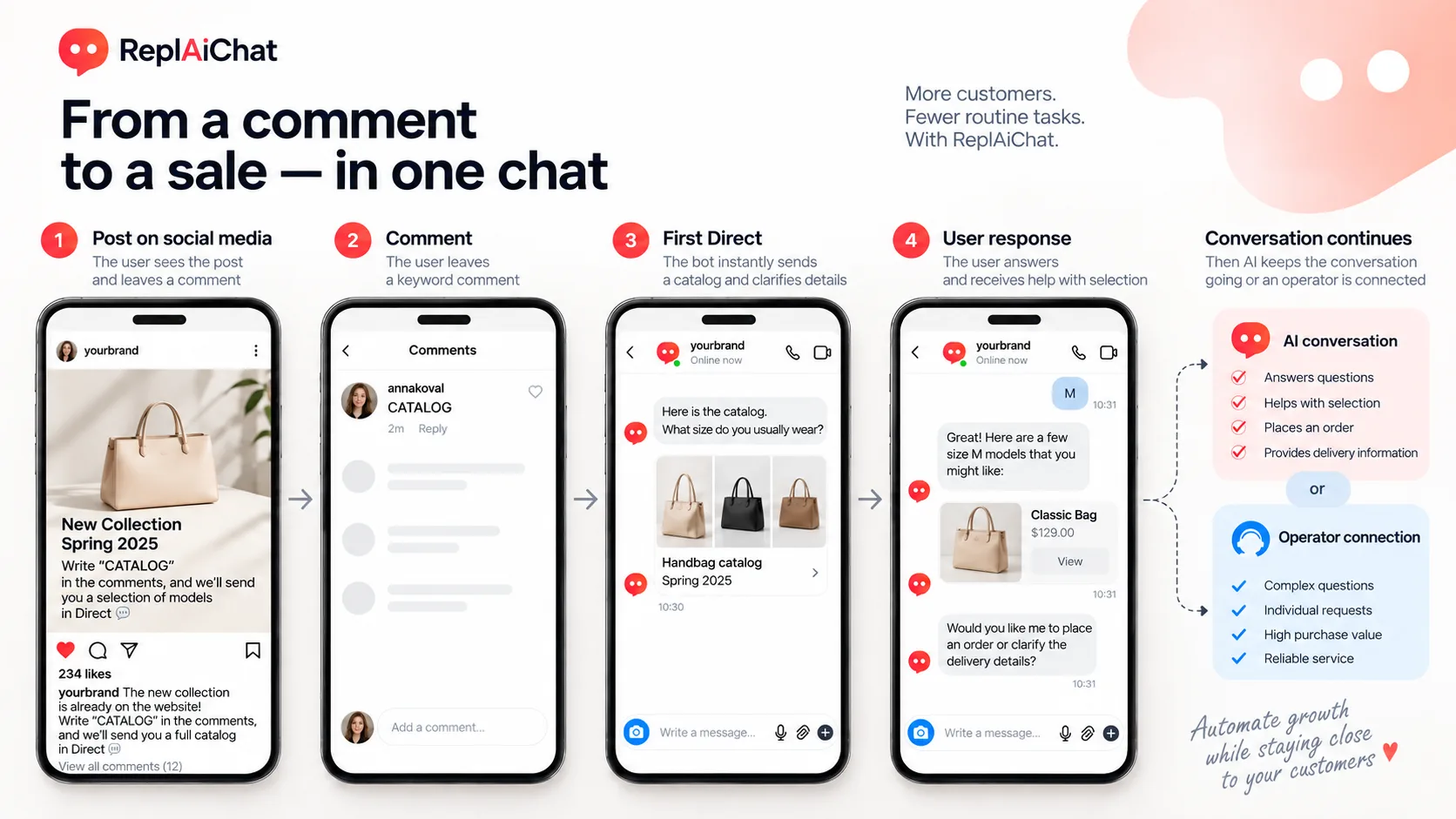
A simple framework for your first automation
Start with one post.
Before building anything, answer three questions:
What will the user comment?
What should they receive immediately?
What simple question could make them reply?
That is enough for the first version.
Comment → useful DM → user reply → conversation.
Once this works, you can add lead qualification, AI answers, product recommendations, CRM data collection and human handoff.
The technology is relatively easy.
Designing the first message is where most of the value is created.
We are building these flows at ReplAiChat, where businesses can connect Instagram, automate conversations and use an AI agent trained on their own knowledge base.